In the documentation Format in the Editing view
Editing
Format in the Editing view
The Editing view is the everyday word processor: a white sheet, a toolbar, the menus of a desktop program. The document stays a real Word file.
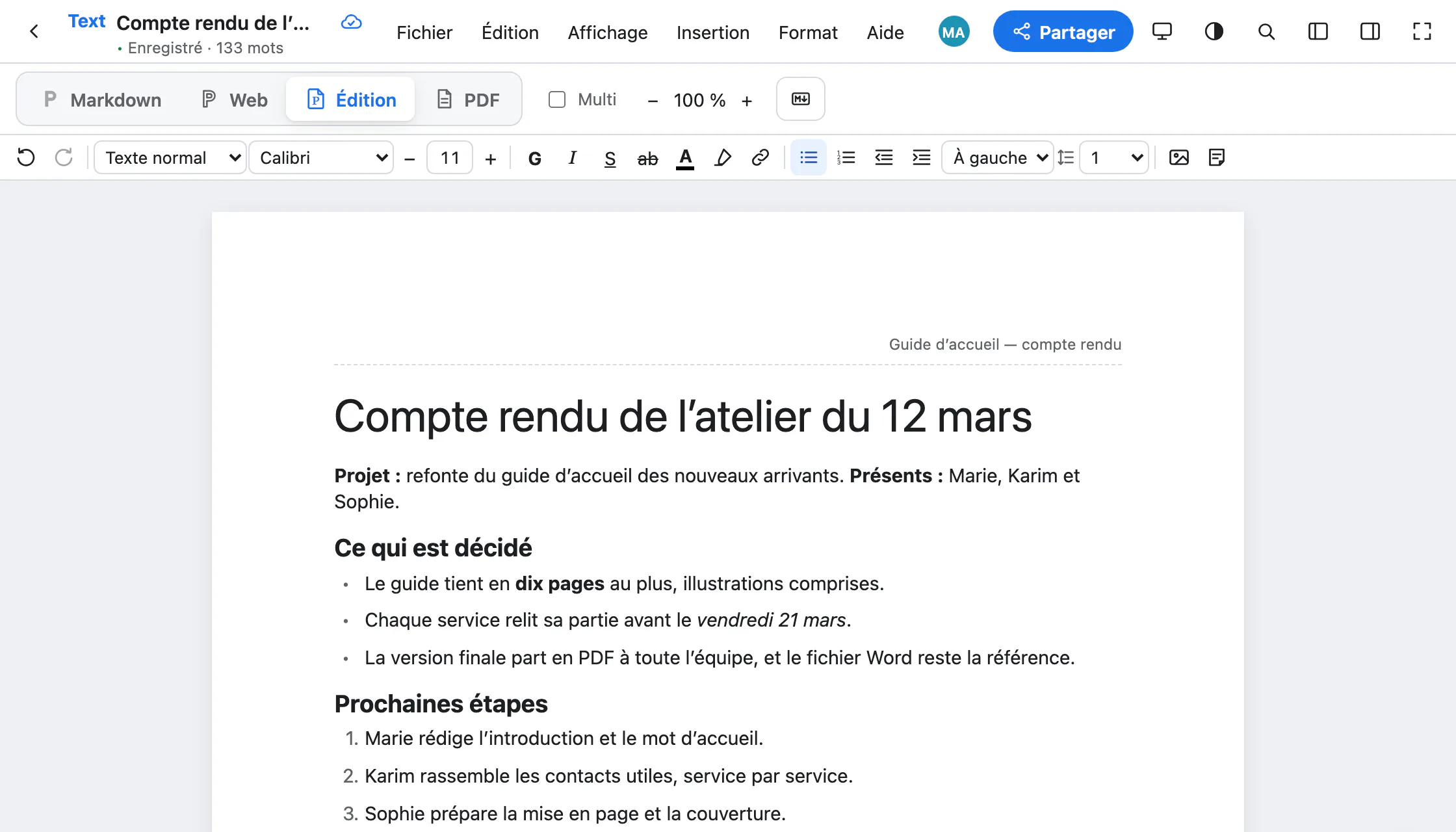
The toolbar
From left to right: undo and redo, the paragraph style, the font, the size (with − and +), bold, italic, underline, strikethrough, colour, highlight, link, lists, indents, alignment, line spacing, image and footnote.
Style, font and size always show those of the text under the cursor: you know where you stand without opening a menu.
Styles
A style gives the paragraph the look the document defines: Format › Paragraph style, or the list in the toolbar. Normal text (⌥⌘0), Document title, Heading 1 to Heading 6 (⌥⌘1 to ⌥⌘6), Quote, Code block.
Headings also build the document outline (View › Document outline) and the PDF bookmarks. To change the look of the whole document at once: Format › Templates (.dotx).
Font and size
Format › Font and Format › Size, or the toolbar. They are kept in the Word file, in Markdown and in the PDF.
If one of the document’s fonts is not installed, Paginel uses a free one with the same metrics: Calibri becomes Carlito, Arial becomes Liberation Sans. The PDF view flags any replaced font.
Images
- Insert › Image…, the toolbar button, drag and drop, or a simple paste.
- The handles at the four corners resize, keeping proportions; clicking the image offers 25, 50 or 100%.
- PNG, JPEG, GIF, WebP and SVG.
Comments
Select a passage, then Insert › New comment (Nouveau commentaire, ⌥⌘M) or right-click, New comment. The passage is highlighted; the thread opens in the Comments tab of the right-hand panel. You reply, resolve, reopen.
The page
- Format › Page setup…: the size (A4, A3, A5, Letter, Legal), the orientation and the margins.
- Header and footer are typed straight on the sheet: Add a header (Ajouter un en-tête), at the top.
- Edit › History… shows the document’s versions and restores the one you want.
The Word file
File › Download › Word (.docx). For a document opened from a .docx, Paginel writes into that file: only what changed is rewritten, the rest is copied as it was.
What stays in the .docx
- Styles, lists and their numbering
- Headers, footers, footnotes
- Images, sections, page sizes
- Tables, intact, even though they cannot be edited yet
- Word’s comments and tracked changes, untouched
What does not exist yet
- Tables cannot be edited as tables yet.
- No track changes. Comments written in Paginel are not saved into the
.docxyet. - No columns, no generated table of contents, no editable equations.
- Without Microsoft’s fonts, the layout is close to Word, not guaranteed identical.
Going further
- How Paginel works The app, the server, and how your changes travel, without jargon.
- Get started Create an account, open a Word or Markdown file, find your documents.
- Invite and share Invite with a link or a code, choose how long it lasts, remove access.
- Write in Markdown The Markdown view, the useful syntax, pasting Markdown, agents.
- Take notes in the Web view A clean page without a sheet, where typed Markdown formats itself.
- Export to PDF The PDF view, downloading, PDF/A for archiving.
- Data management Where your documents are, who can read them, how to take them back and erase them.
- Help The questions we are asked most.