Features
All of Paginel, on one page
A word processor and a task board, for you, your guests and your agents.
Paginel Text writes your documents, real Word files, alone or together. Paginel Board sorts your tasks into columns and cards. Each block below says what one or the other does today, with a picture of the product and the link to the details.
Try the demo My documents Create an account Create my account
Everything below is included in the beta, free and open to all.
Paginel TextThe word processor
Write alone or together, on real Word files.
Four views of one document
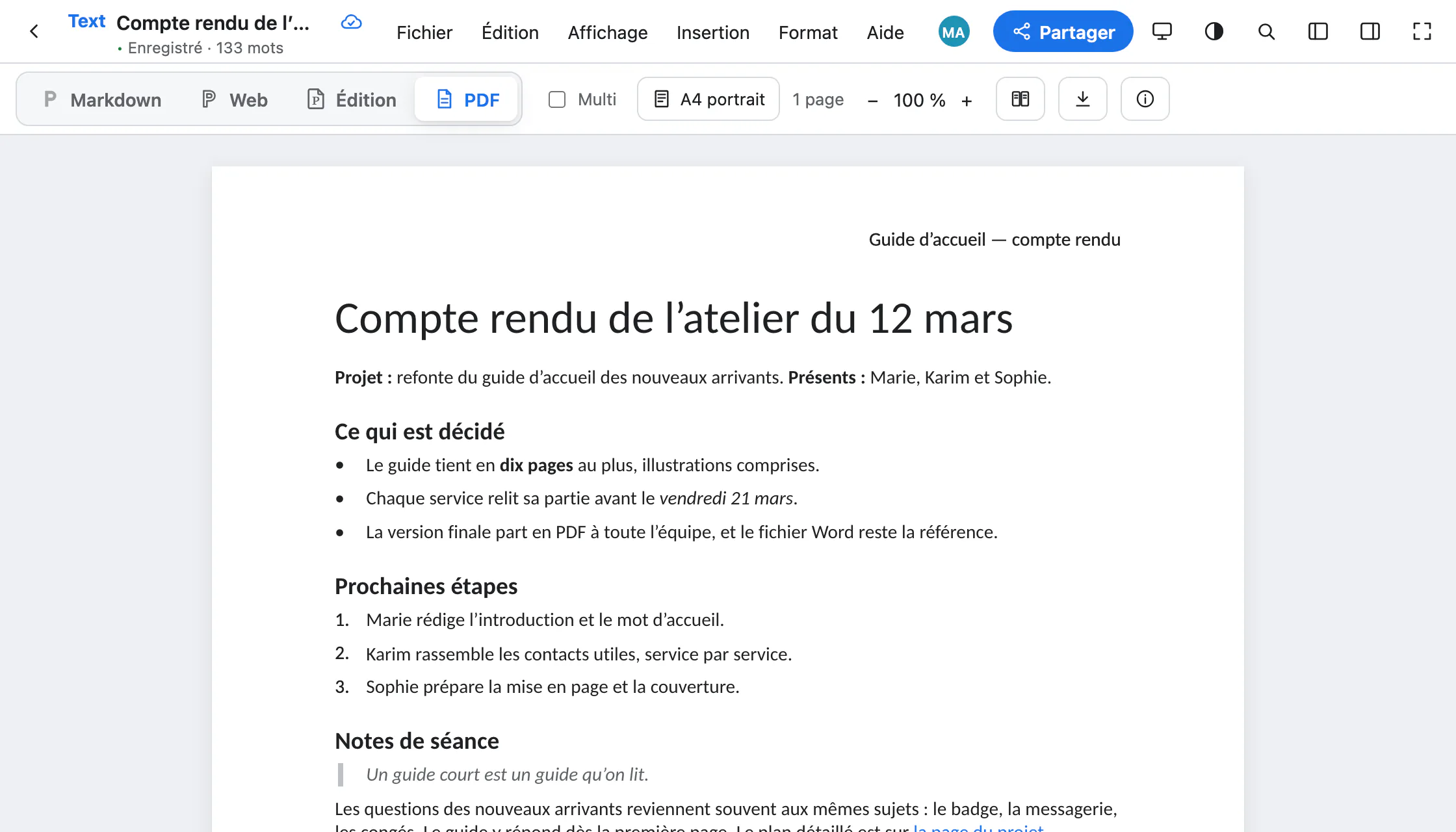
Markdown, Web, Edit, PDF: the same text, seen four ways. One click switches from one to another; the text glides and you keep your place.
- Markdown: write fast from the keyboard, headings, lists, bold. It is also the language of AI agents.
- Web: a clean page with no paper, for notes or a manual; the Markdown you type formats itself.
- Edit: the word processor and its pages, with styles, images, and the font and size always visible.
- PDF: the pages as they will come out, breaks and numbers included. Nothing is edited there.
- On a computer, the Multi box shows the Markdown source, the text and the real PDF side by side.
The guides: Write in Markdown Take notes in the Web view Format in the Edit view Export to PDF
Word compatible
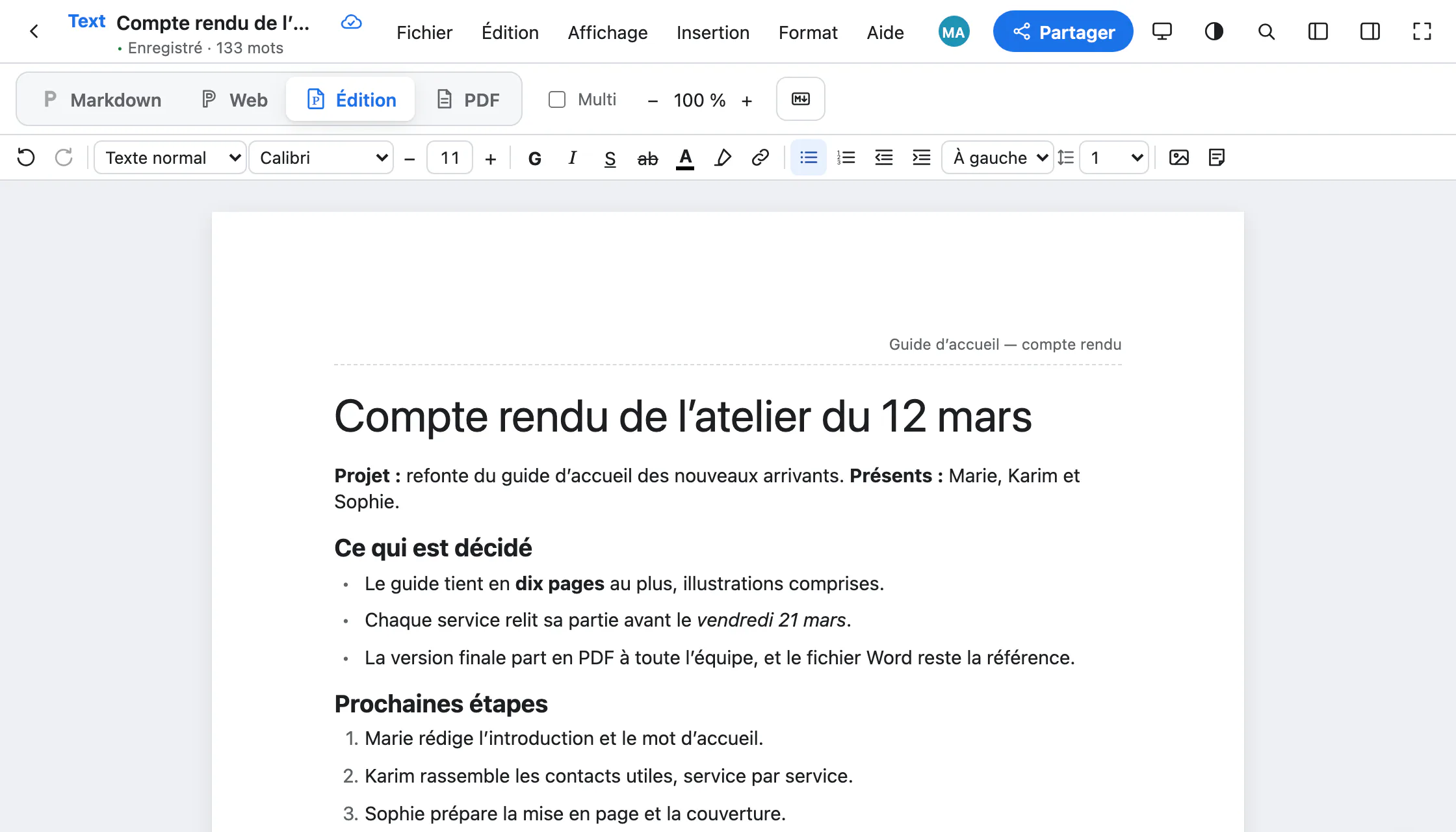
Your .docx files stay .docx files
Paginel reads and writes Word files itself, without Word or a Microsoft licence. Open a .docx, edit it, hand back a .docx.
- Word’s layout is kept: styles, headings and numbered lists, headers and footers, notes, images, sections.
- Faithful saving: only what you changed is rewritten, the rest of the file is copied as it was.
- Word templates (
.dotx) apply, and a document can be saved as a template. - A 40-page report opens in 2 s.
Together, live
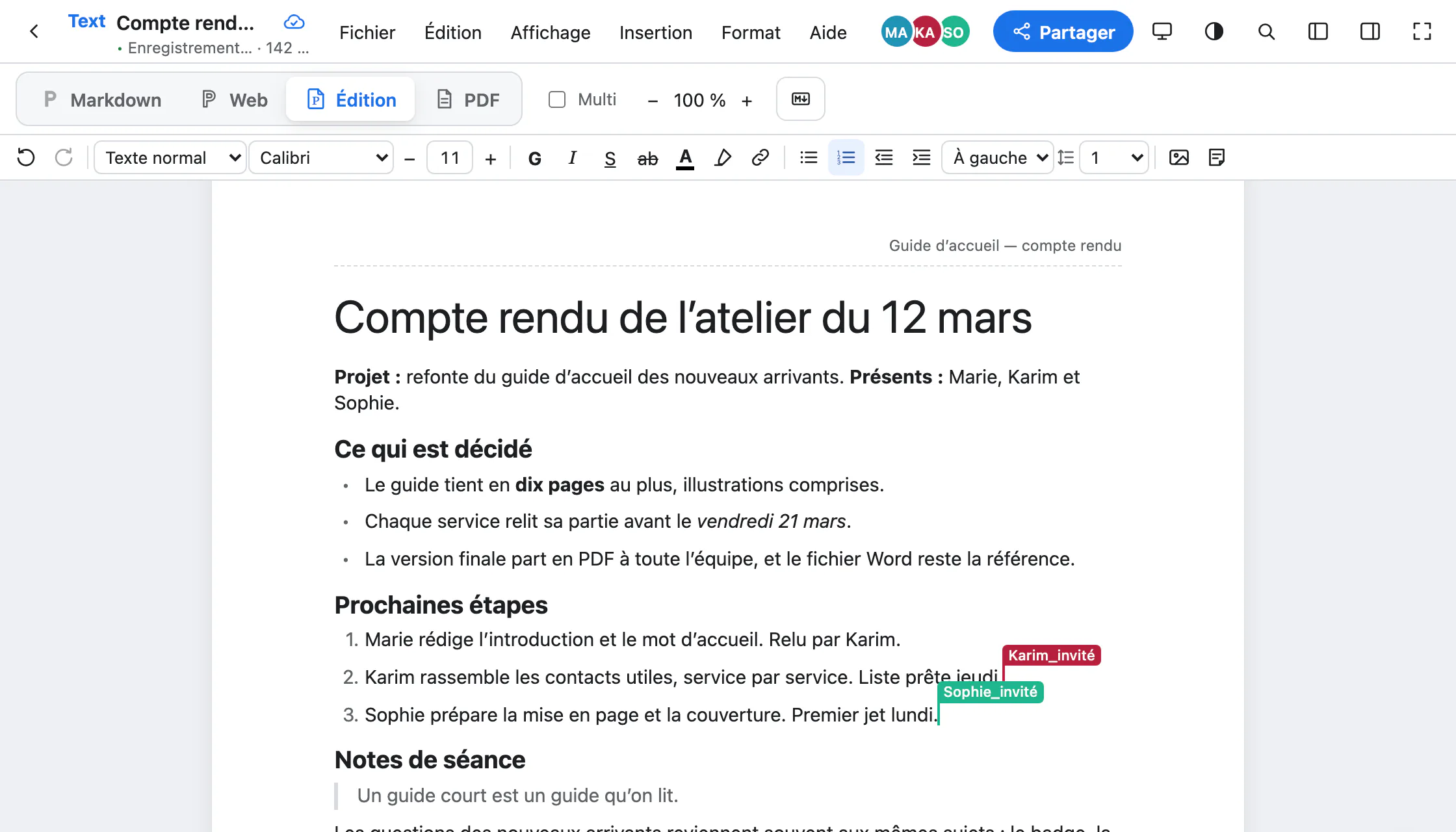
Everyone sees the others’ cursors and names; each keystroke reaches the others within a few milliseconds.
- Share… gives the document’s address. A link open to all lets people read or comment; an invitation lets in whoever you want, with their name and without an account, for as long as you choose.
- A heading and its text make a section: give it to someone, and the others read or comment on it without changing it. The server enforces this.
- Insert › New comment: threads attached to the passage, with replies, that you resolve.
- Edit › Version history… compares versions and restores one; Who wrote this passage? tells you, person or agent. Everyone undoes only their own changes.
Your AI agent, in your documents
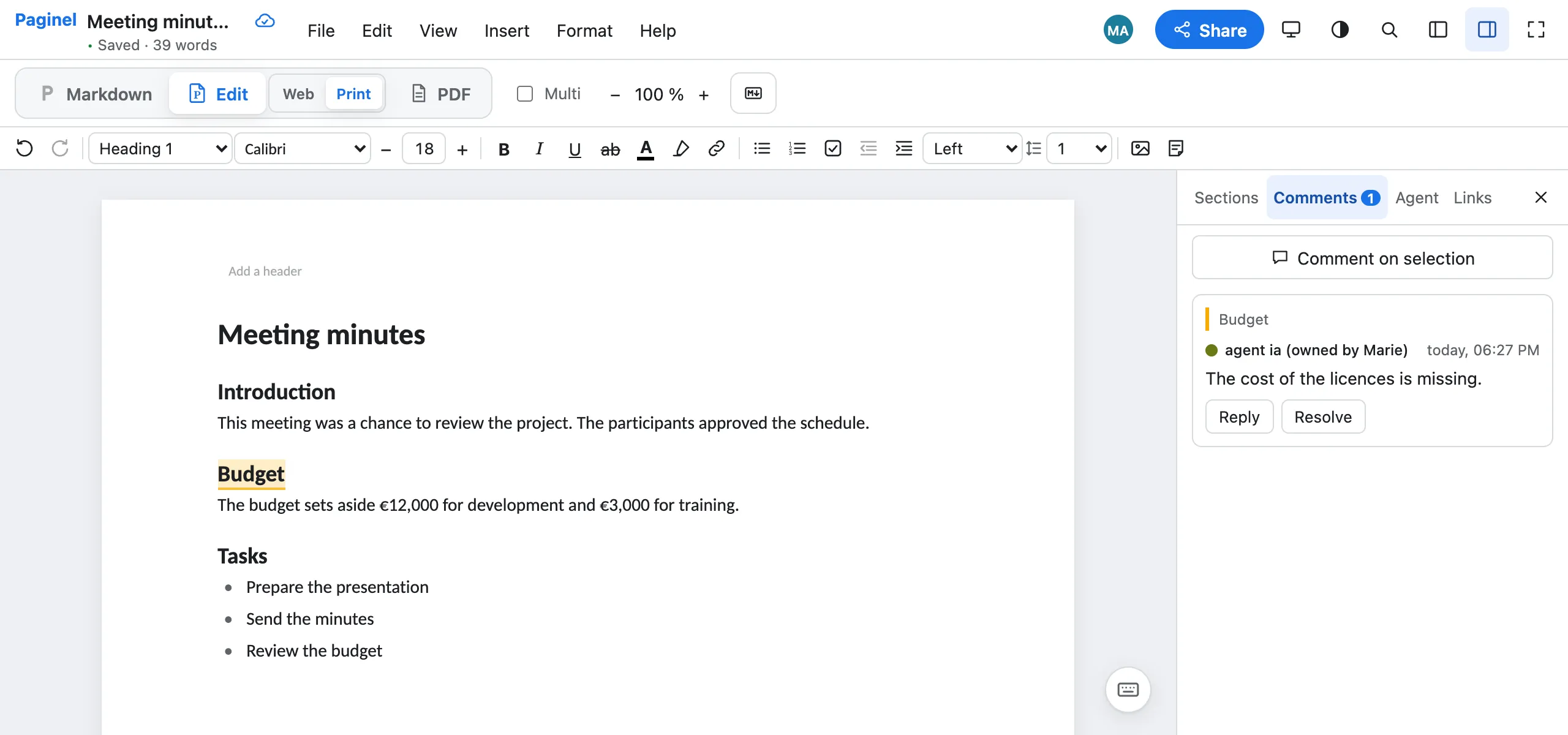
Paginel has no assistant of its own: you connect yours. It goes through the same doors as you, with the rights you give it.
- Claude or ChatGPT, through the Paginel connector (
https://paginel.com/mcp): it finds your documents, reads them and adds your ideas, within what you open to it. - A model on your computer (Ollama), on a document open in the desktop app: nothing goes online if your MCP client uses that model.
- What it writes is signed with its name, shows live and can be undone in Edit › Version history…. You pause it, or remove its access, whenever you want.
- For developers: the REST API, API tokens with rights, and a SKILL that Claude Code reads.
A PDF ready to send
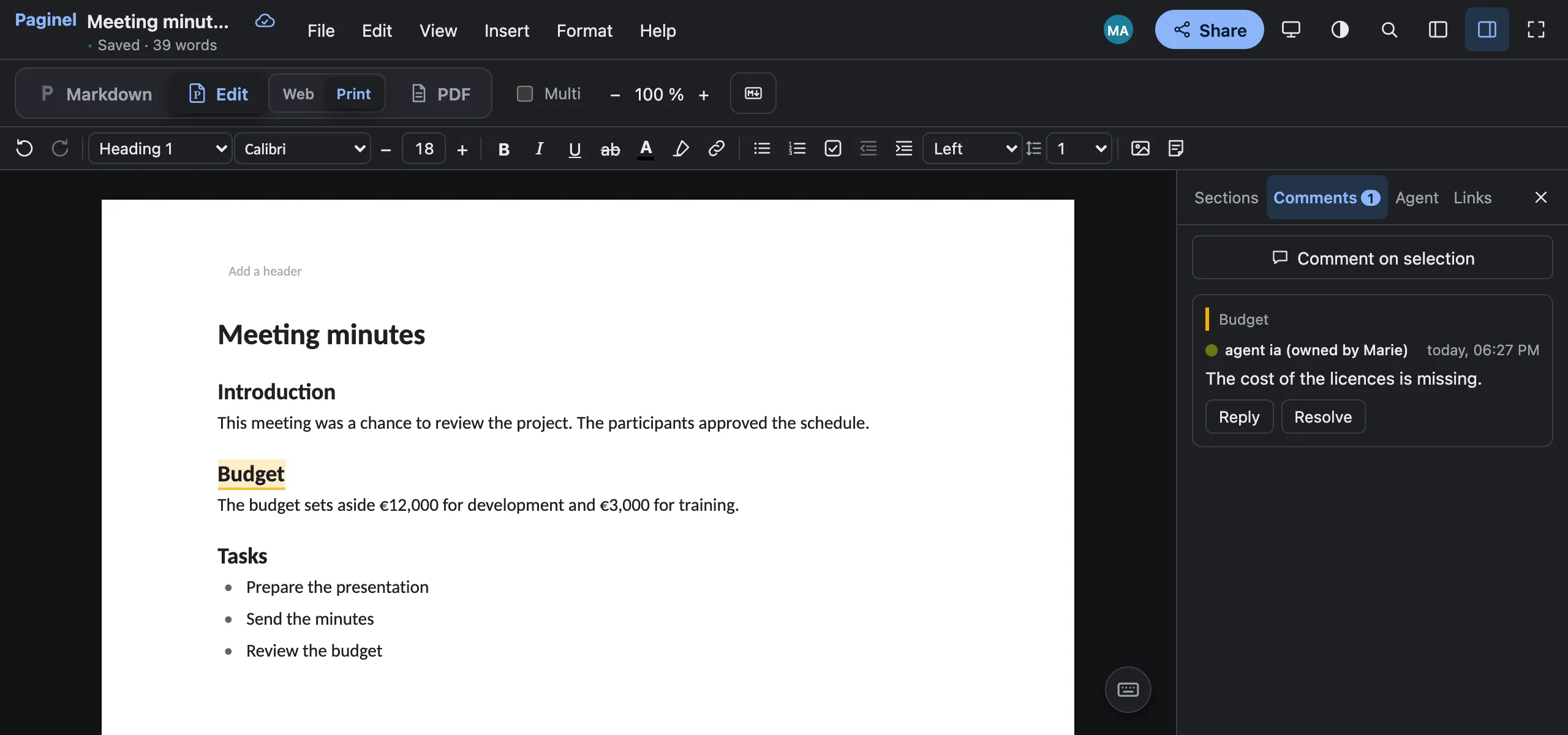
The PDF view shows the file’s exact pages: same breaks, same headers, same numbers. The PDF comes out of the same layout.
- Embedded fonts, the document outline as bookmarks, clickable links.
- A tagged PDF that screen readers can read: headings, lists, tables and notes, in order.
- PDF/A, for archiving, in File › Download (Export, in the desktop app).
- Page size, margins and background image are set in Format › Page setup…
My documents: sort, find, share
Your documents and boards live in My documents, on paginel.com, hosted in France.
- Folders inside folders, up to five levels; drag a document into one with the mouse.
- A star on every row: your favourites come first on the page.
- Share…, from the right-click menu of a document or a folder: the link, the invitations, and who has access.
- Download as Word or as Markdown without opening the document; Delete keeps it in the trash for 30 days.
In the browser, on the desktop, in VS Code
The same interface everywhere, in your language: French or English.
-
The browser
Nothing to install, phones included. Shared documents you opened recently (the last 20) stay in the browser: they open even without a network, and everything comes together when you are back.
-
The desktop app
Paginel Text for macOS (Apple silicon), Windows and Linux: your
.docxand Markdown files, in your folders, even offline. With a free account. -
The VS Code extension
Paginel Text in VS Code: your
.mdand.docxfiles with the four views, saved into the original file.
Free converters, no account
Drop a file, download the result: it is Paginel’s engine, on paginel.com. A PDF read back into Word or Markdown is an approximate reconstruction, to be checked.
Paginel BoardThe task board
Your tasks as cards, for you and your agents.
Columns and cards
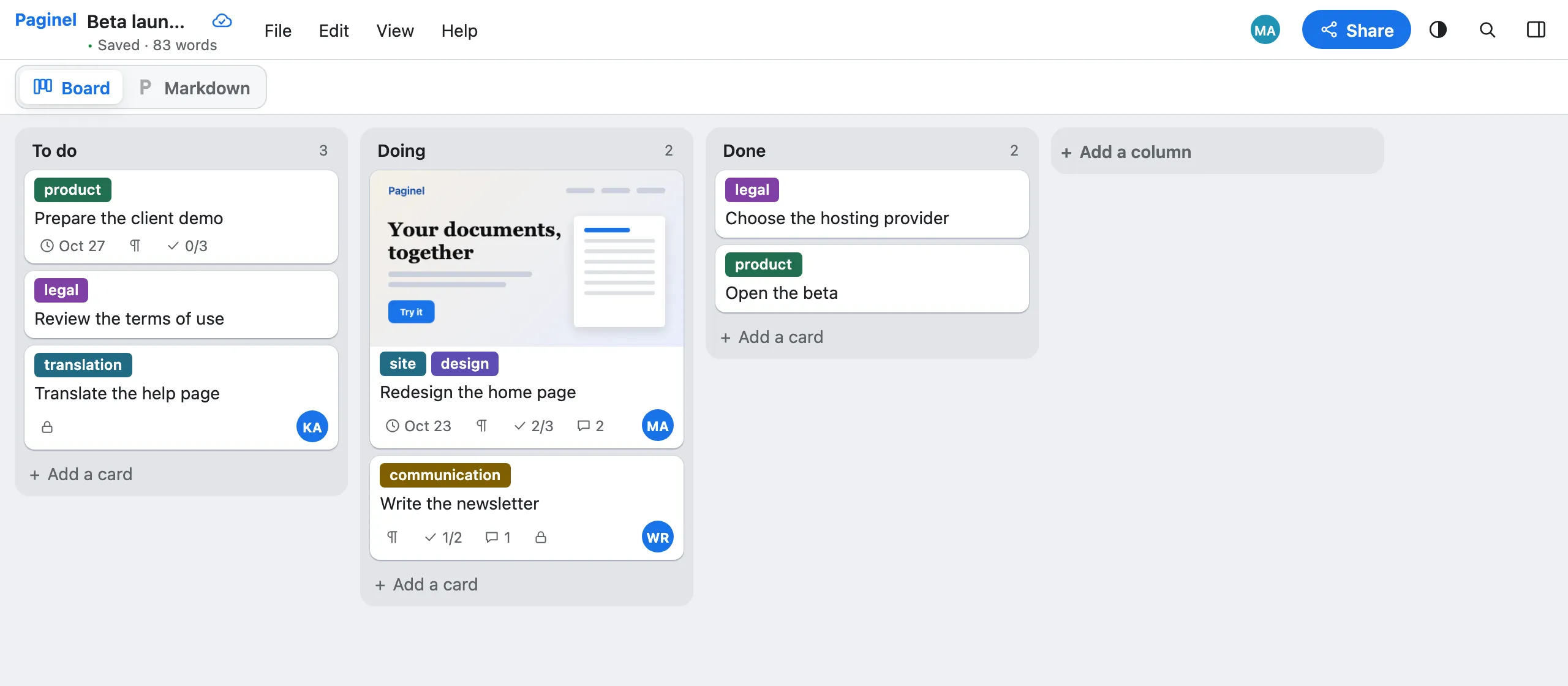
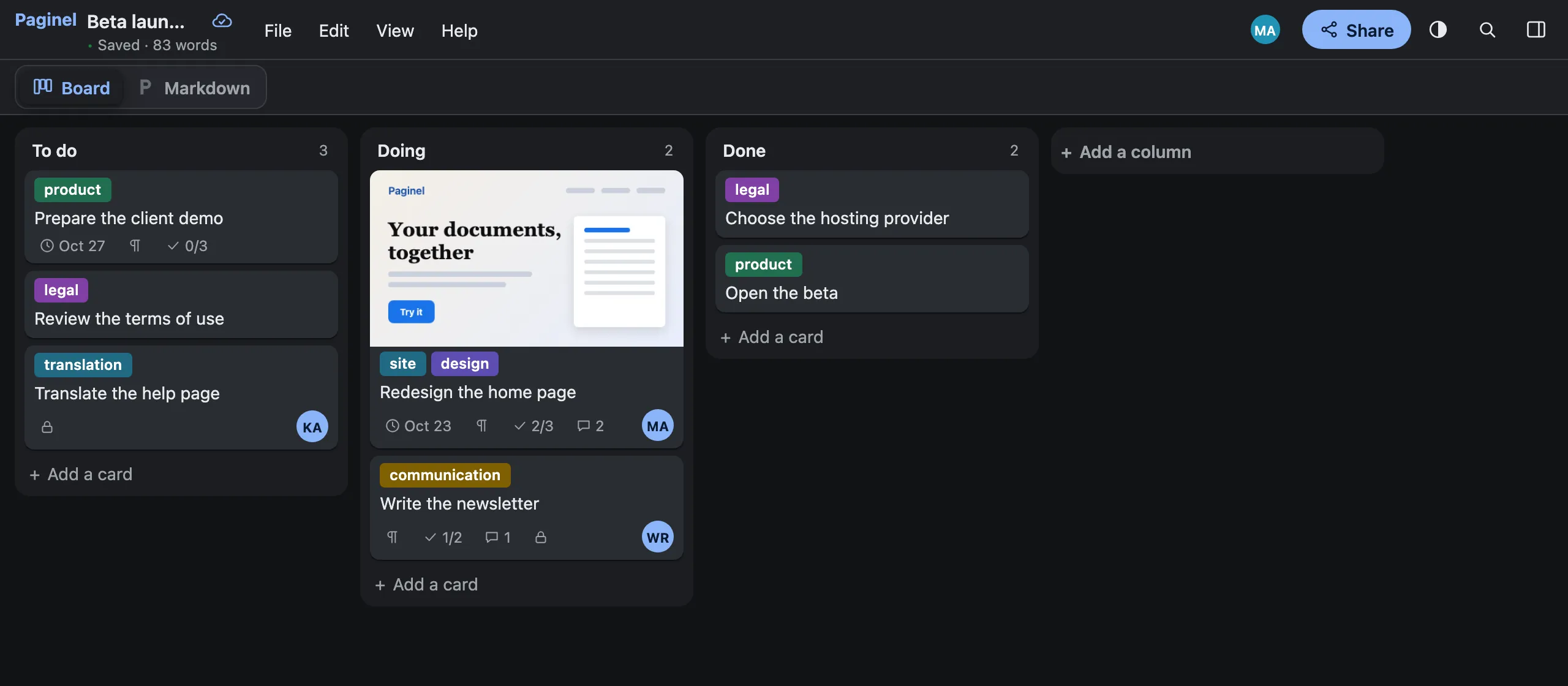
“New board”, in My documents: three columns are waiting for you, To do, Doing and Done.
- Cards and columns are dragged with the mouse or the keyboard; right-click a card to open it, move it, copy its link or delete it.
- Task lists are ticked with one click, and the closed card shows how many are done.
- What one person moves moves at once for the others: everyone works on the same board.
Everything in the card
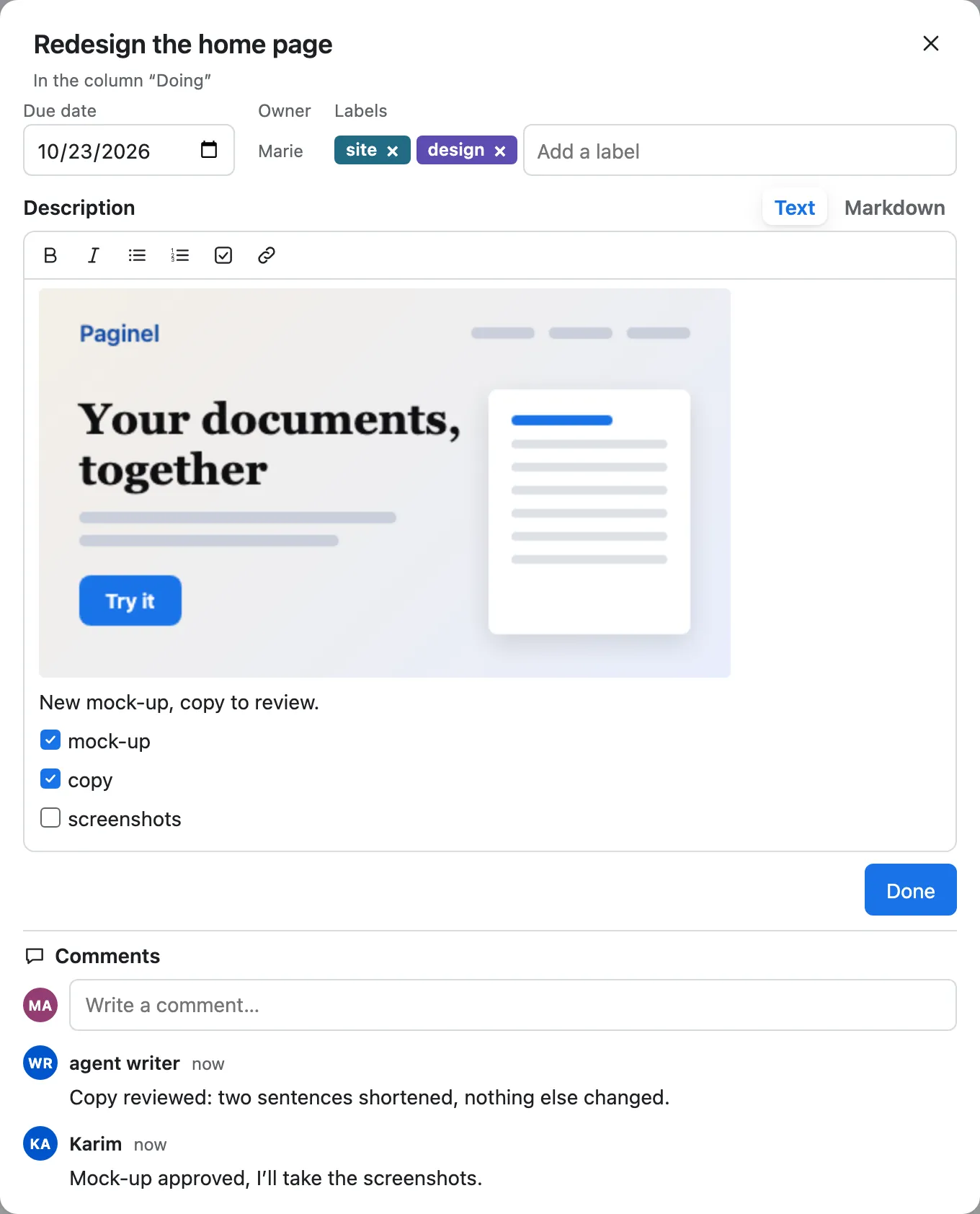
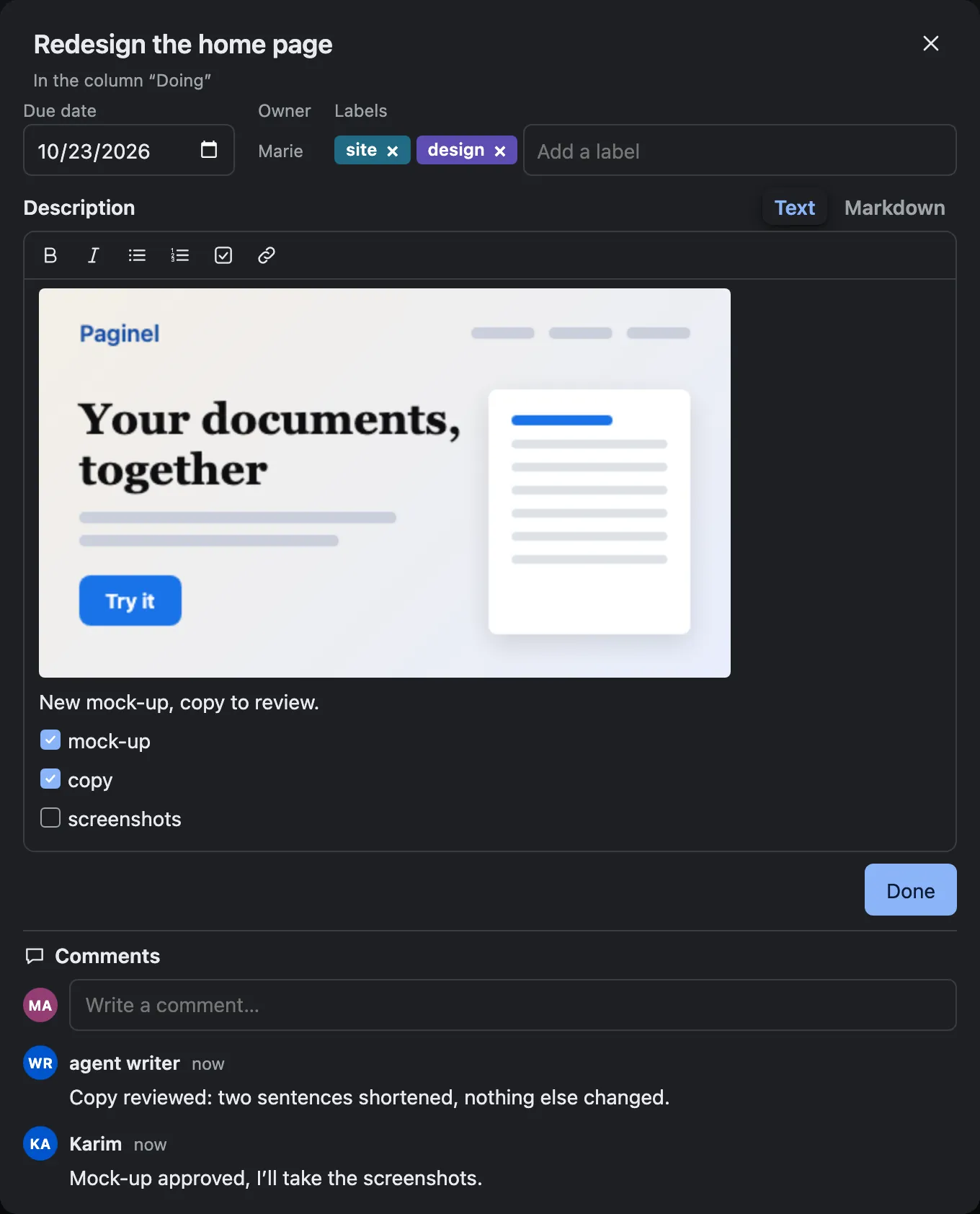
Once open, a card holds a due date, labels, an owner (a person or an agent) and a description, in text or in Markdown.
- An image pasted into the card becomes its cover.
- Follow-up comments stay with the card from one column to the next; their number shows on the closed card.
Developers and agents
A Markdown file your agents read
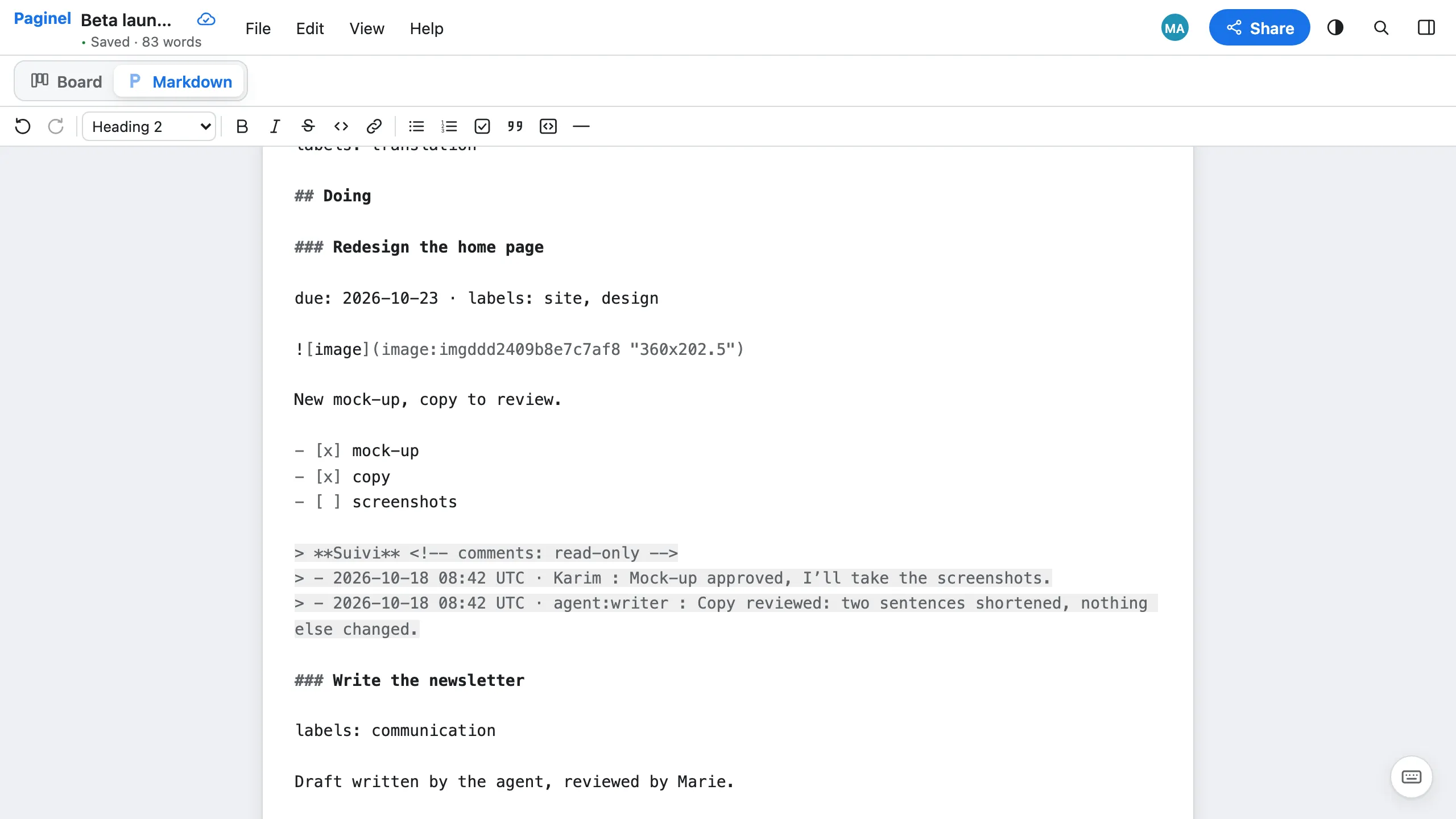
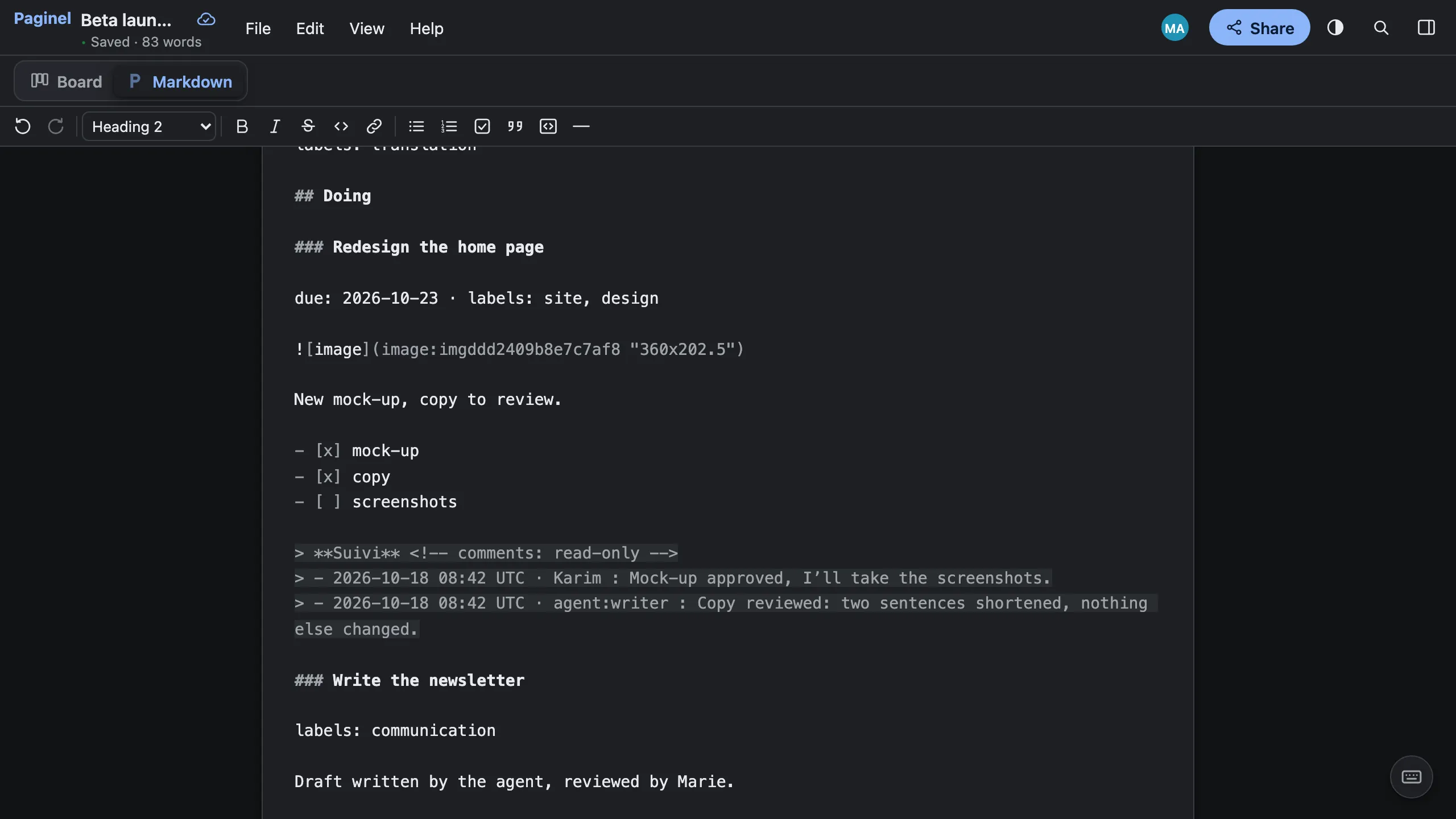
A board is a Paginel document written in Markdown: a column is a ## heading, a card a ### heading. The Markdown button, at the top of the board, shows it and lets you edit it.
- Through the connector, Claude or ChatGPT reads the board (
read), adds a card (add_card), comments on a card (comment_card) and reads its comments back (card_comments). - Through the REST API, an agent writes the board’s Markdown: a card is a
###heading; a done task, an[x]. - Every write is signed with its name; Edit › Version history… undoes it.
Not yetWhat Paginel does not do (yet)
- Paginel is in beta, open to all and free: it is a young product.
- Tables in a document are only edited in the Markdown view; the Edit view shows their cells one after the other.
- No track changes and no suggestion mode; comments are not written into the
.docx. - Without the Microsoft fonts, free fonts with the same metrics take their place (Calibri becomes Carlito): the layout is close to Word, not guaranteed identical.
- No Chinese, Japanese, Korean, Arabic or Hebrew yet in the pages and the PDF.
- Paginel Board opens in the browser, online: no desktop app and no offline work, no import from Trello, no list or calendar view.
- On phones and tablets: the browser only.
- SharePoint, OneDrive and Dropbox: coming soon. Their folders synced to your computer already open in the desktop app, as files.
- No built-in AI assistant: you connect your own.
Try Paginel
The demo opens without an account. A free account keeps your documents and boards.
Try the demo My documents Create an account Create my account